

TRACKMAN
Take your TRACKMAN data to the next level.
Make it your superpower. Finding Fairways scores every shot of a session, club by club, against what is good for a player at your level - then hands you the three things costing you the most, in the order to work on them.
- Improve 10x faster
- Every club scored
- Plan built from your own numbers
The loop
Numbers in, session out
A TRACKMAN report tells you what happened. This tells you which part of it to work on next.
-
01
Import
Paste your TRACKMAN session link. Every shot comes across with its full metric set, sorted by club.
-
02
Grade
Each shot is scored against what is good for a player at your level, not against a tour average.
-
03
Rank
The metrics are ordered by what they are actually costing you, so you work the one that moves the score.
-
04
Focus
You leave with three ranked priorities and a target range for each, rather than thirty numbers and a feeling.
Inside the app
Screen by screen
Four screens carry the whole TRACKMAN side of the app, and each one ends by pointing at the next.
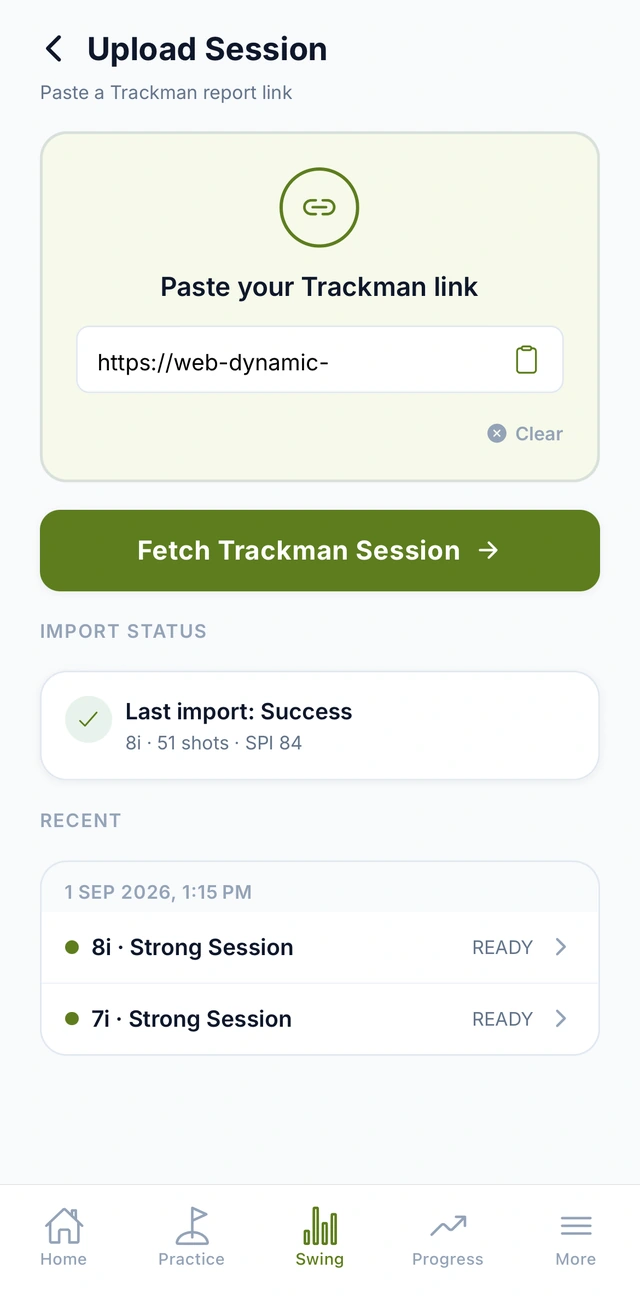
Paste a link. That is the import.
No exporting, no spreadsheets, no retyping. Paste the link to your TRACKMAN report and the session comes across with every shot and every metric attached.
- Import status names what landed: club, shot count and session score
- Recent sessions stay in the list, ready to open
- Done on your phone at the range, straight after you hit
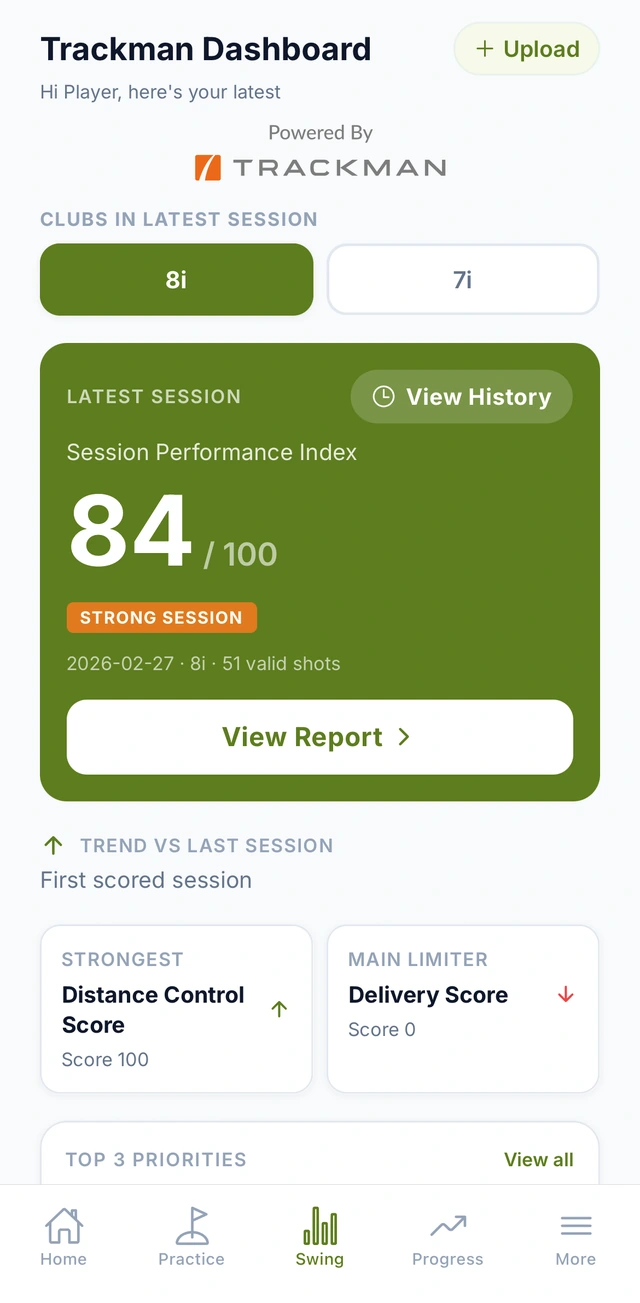
One number for the session
The Session Performance Index turns a whole session into a single score out of 100, per club, so you know whether that was a good hour before you read a single metric.
- Scored per club - the 8 iron and the 7 iron each get their own index
- Your strongest area and your main limiter, both named
- Trend against your last session, so a change is visible as a change
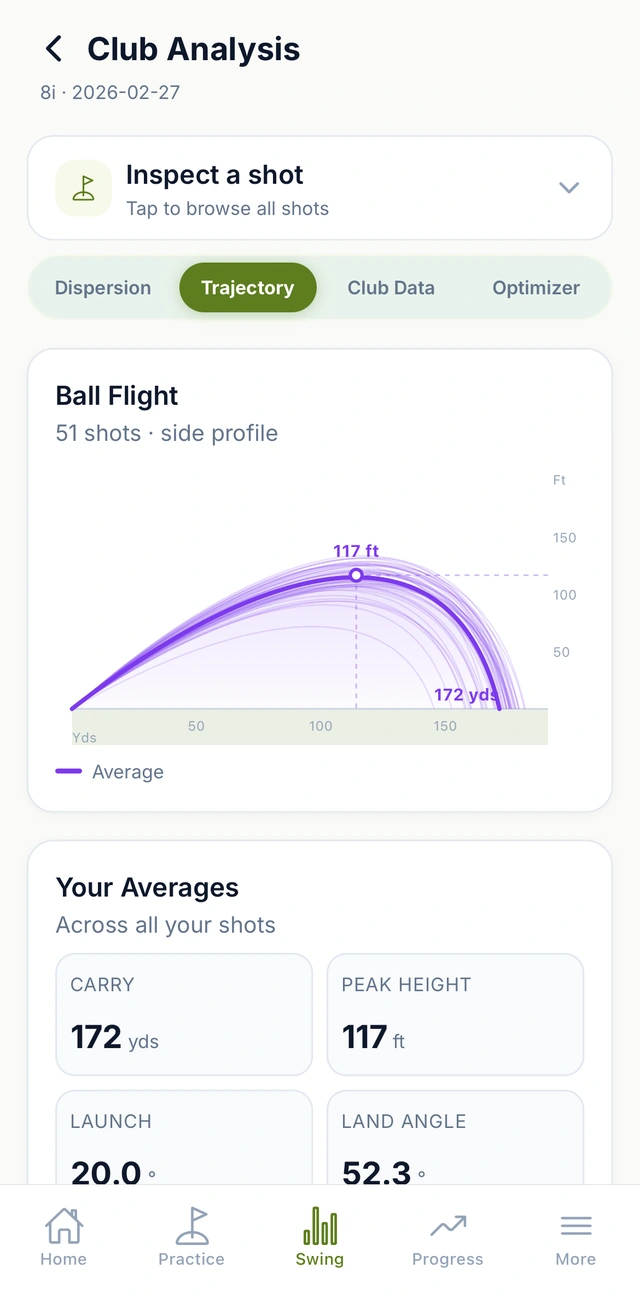
Every shot in one picture
The whole session drawn together in side profile, with your average flight in front of it. Carry, peak height, launch and land angle all come off the same set of shots.
- The spread is the point: a tight bundle is control, a fan is not
- Average carry and peak height read straight off the chart
- Dispersion, trajectory, club data and the optimizer sit behind one tab bar
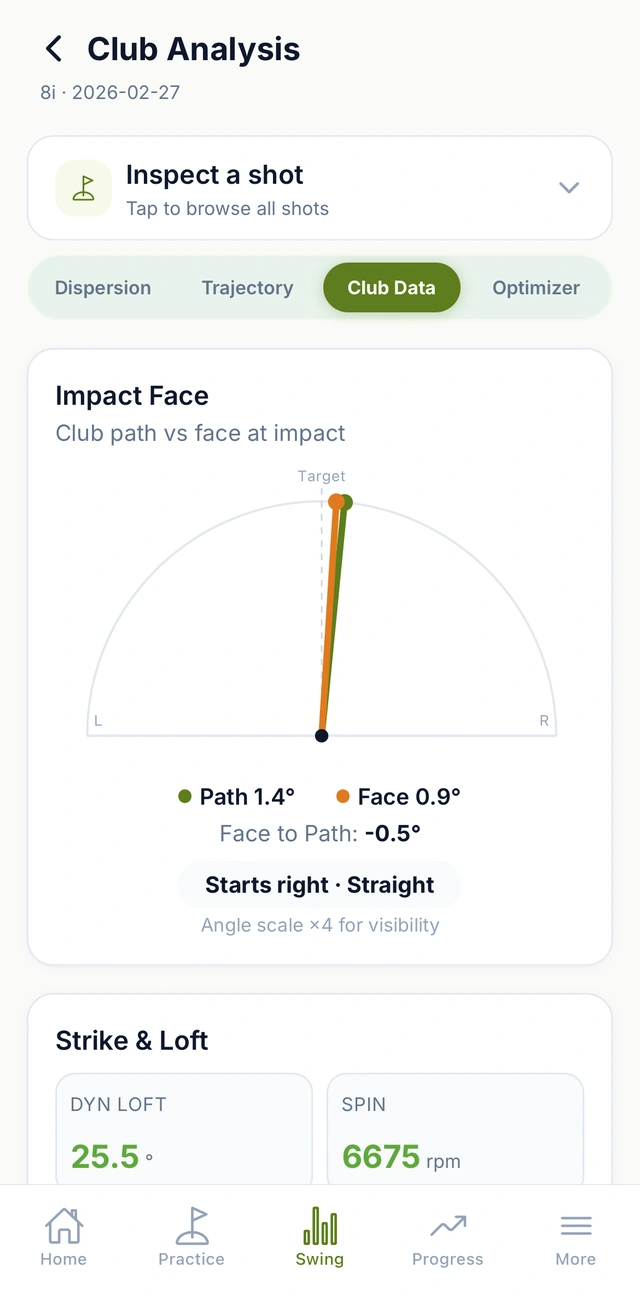
Path and face, at impact
The two numbers that decide where the ball starts and how it curves, drawn against the target line and read together rather than one at a time.
- Path, face and face to path as a single picture
- A plain-language read of the shot shape they produce
- Dynamic loft, spin and strike sit underneath
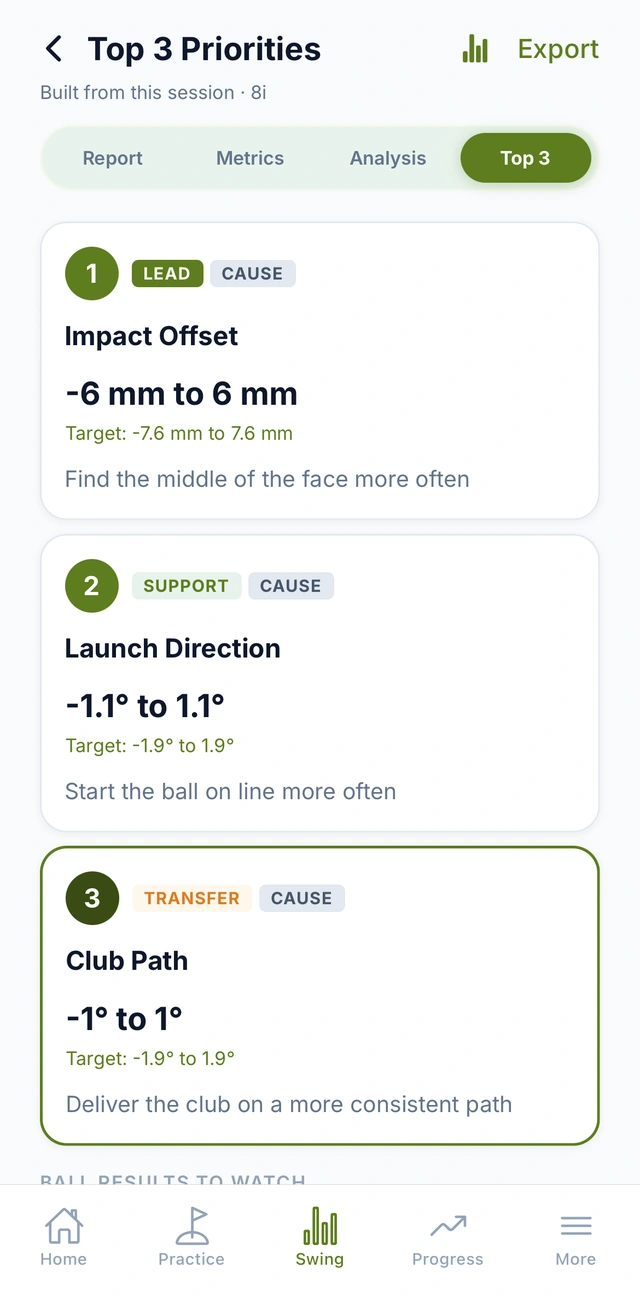
Three things, in order
TRACKMAN gives you around thirty numbers per shot. The app gives you three, ranked by what they are costing you, each labeled with the job it does.
- Lead - the one metric to change; everything else waits
- Support - the metric that has to hold while you change the lead
- Transfer - the outcome that proves the change worked
What gets graded
The numbers that decide the score
Not all thirty. These are the ones that separate a session that felt good from one that moved your game.
-
Face to path
The gap between where the club face is pointing and where the club is traveling. It decides how much the ball curves, which is the main reason shots finish left and right of the target.
-
Impact offset
How far from the middle of the face you struck it. Miss the middle and you lose ball speed, height and direction all at once.
-
Carry and dispersion
How far the ball flies, and how much that distance varies shot to shot. Two clubs can average the same yardage while only one of them is reliable.
-
Launch and spin
How high the ball starts and how hard it is spinning. Judged as a range that suits your speed and your level, not one number copied from tour.
-
Club path
The direction the club is traveling through the ball. It only means something read together with the face - one without the other tells you nothing.
-
Attack angle
Whether the club is still moving down or already moving up at impact. What is right depends on the club: up with a driver, down with an iron.
Consistency counts as much as average. A metric with a good average and a wide spread is scored as the problem it is.
How the score works
Good is not the same number for everybody
TRACKMAN gives every golfer the same readings. What it cannot tell you is whether your reading is a good one. The app fills that in: it knows what each number should look like for a player at your level, with the club you were hitting, and it scores you against that instead of against a tour average you are not chasing yet.
Beginner is 20 and above, Intermediate 10 to 19, Advanced 3 to 9, Elite 2 and under, then Pro. Five stages, and you are only ever measured against your own.
Each club gets its own target for your level, sized to your age, height and gender. A 5ft 4in golfer of 60 is not asked for the same 8 iron as a 6ft athlete of 25.
Your target sits next to the one a level above, so you always know what the next stage of your game is actually asking for.
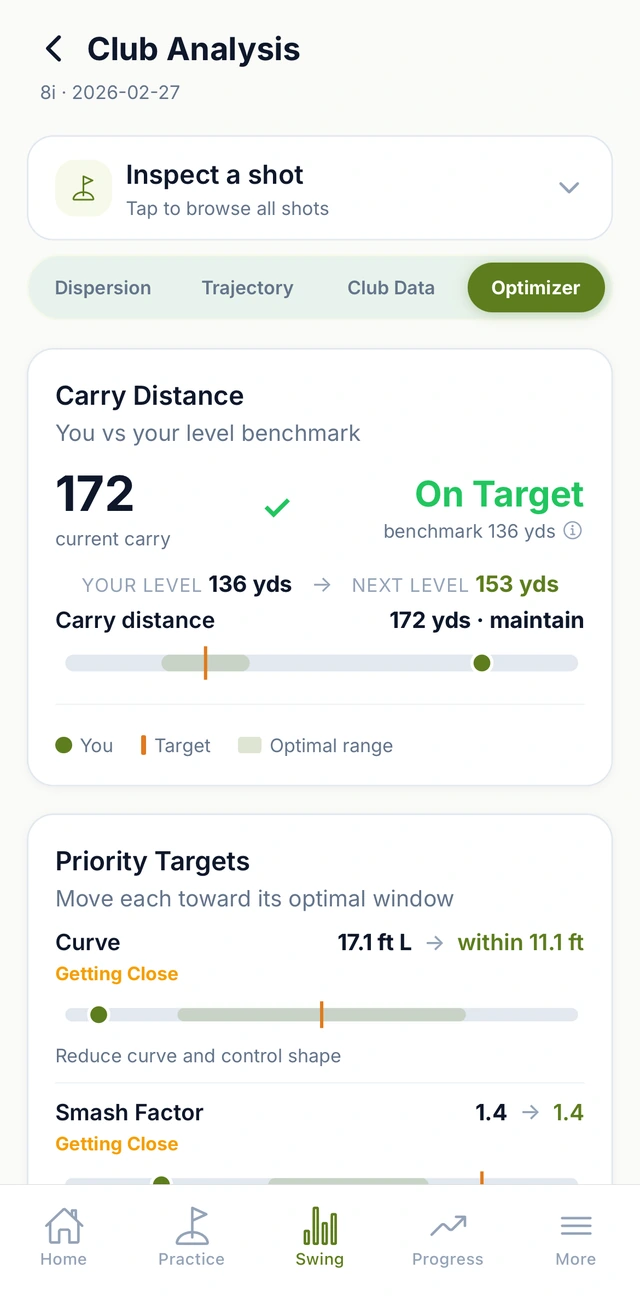
The report alongside reads: 172 yards of carry against a 136 yard target for this level, so it is marked on target, with the level above asking for 153.

Make your data your superpower
Everything on this page is part of the $30 a month membership. No separate TRACKMAN plan, no per-report charge.